Bulk actions and exports — process your QR codes in batches
Select up to 100 QR codes to archive, reactivate or tag them, download their images as a ZIP and export the list as CSV.
Plans: Pro · Entreprise
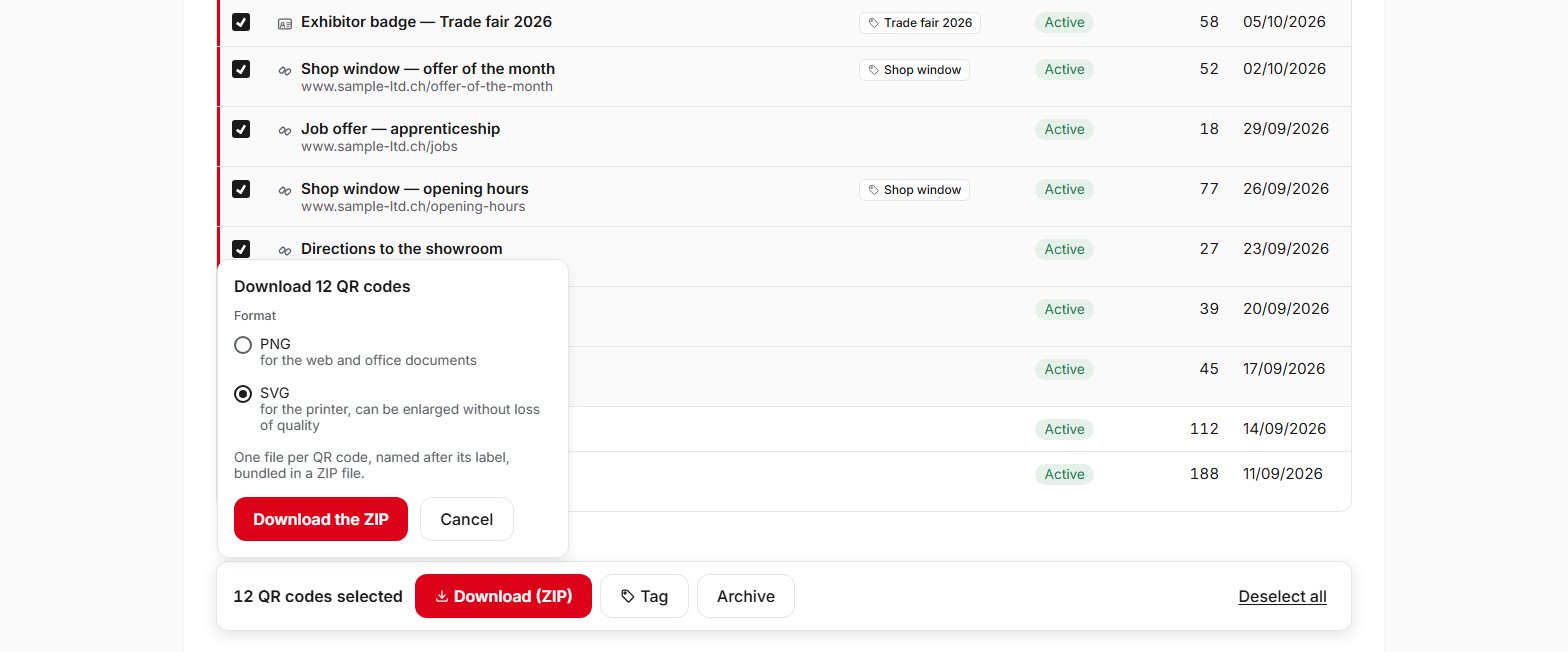
From the list of your QR codes, tick up to 100 QR codes, including across several pages or filters, then choose the action: archive, reactivate, tag or download the images. The ZIP file contains one image per QR code, as PNG or SVG, named after its label: the file to hand to your printer for a whole series. Just after archiving or reactivating, the Undo button lets you go back; permanent deletion, however, is done one QR code at a time. The CSV export covers the result of your filters or your selection. It contains, among other things, each QR code's label, destination, status, total number of scans, creation date and tags, but never the content of business cards. This feature is available with the Pro and Entreprise plans.
Frequently asked questions
How many QR codes can I process at once?
How do I download several QR codes at once?
What does the CSV export contain?
Can I undo a bulk archive?
Can I permanently delete several QR codes at once?
Should I protect the CSV file?
Help pages
See also
Try QR Suisse
The Free plan is available immediately, self-service, no credit card required.
Create a free accountDiscover the Pro plan