QR codes for flyers, posters and print campaigns: agencies and printers
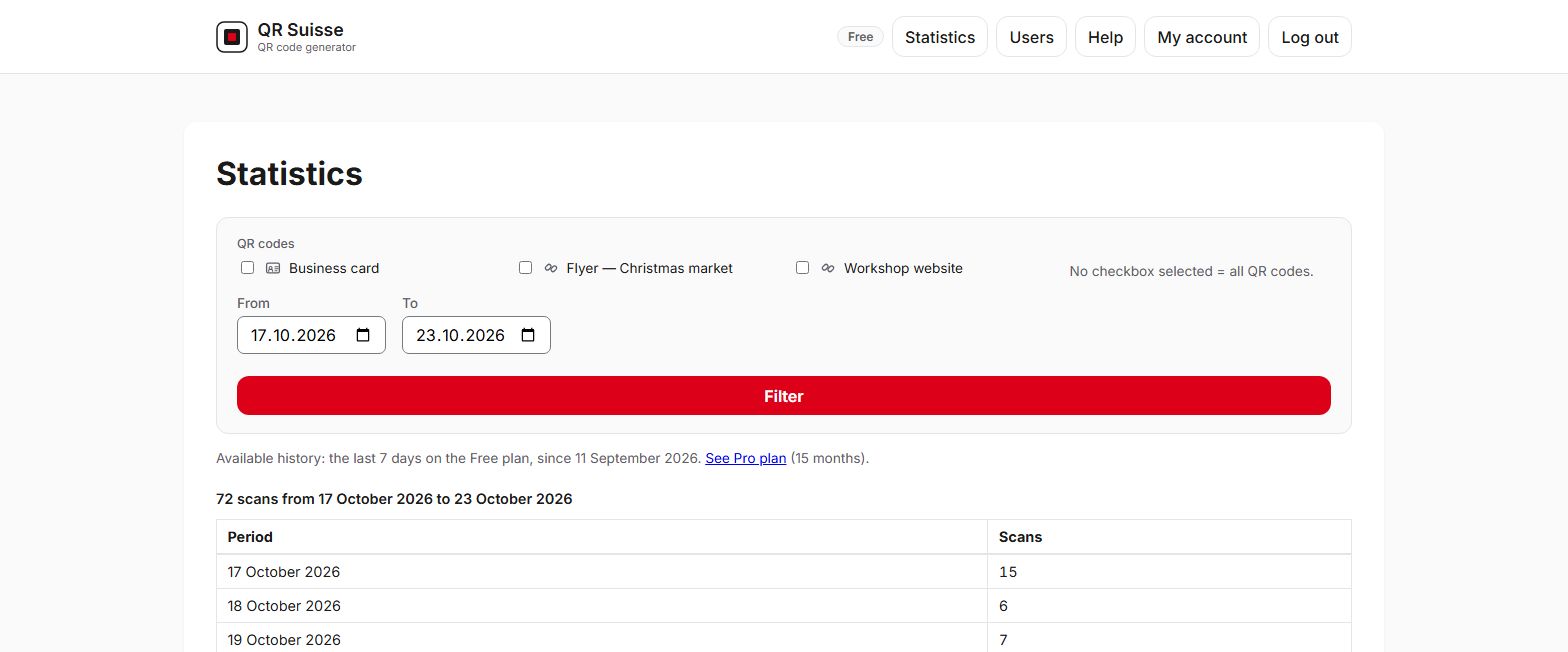
On a flyer or poster, a dynamic QR code lets you correct the destination after printing and count the scans of each item, day by day. QR Suisse, published by Skyday Sàrl, optionally adds UTM parameters for your website's analytics tool and provides the image as SVG for printing.
Practical situations
The proof was approved with a mistake in the address. The landing page has a typo, or the URL changed between approval and delivery. You correct the QR code's destination, and the flyers already printed lead to the right page.
One version per language, per area or per design. Each version has its own QR code, and you compare the scans of each one. On its side, the website's analytics tool tells the versions apart thanks to the UTM parameter utm_content.
After the campaign. The poster stays up longer than planned. Instead of leaving an expired page, you redirect the QR code to the next offer or to the client's home page.
Agency: campaigns for several clients. With Pro and Entreprise, you can:
- organise QR codes by client and by campaign with tags;
- give the printer a ZIP of SVG files named after their label;
- export the list of QR codes with their total number of scans as CSV, for the campaign report;
- compare campaigns over 15 months, whereas the Free plan shows 7 days.
Printer: one QR code per order, from your own tools. Your ordering system creates the QR codes via the API, retrieves their image as SVG or PNG for the print file, then reads their statistics. The Entreprise plan includes 100 creations per month. Optional creation packs are available with an active paid subscription (see pricing).
Which plan for your agency or print shop?
Free
To test a campaign with a few versions.
0 CHF
No credit card required
- 3 active QR codes
- 1 user
- 7-day history
Pro
As soon as a campaign has more than 3 versions, or to compare your campaigns over 15 months.
15 CHF / month
or 150 CHF / year, billed once a year, equivalent to 12.50 CHF/month
- Unlimited active QR codes
- Unlimited users
- 15-month history
- Custom domain for your QR codes
- API: 5 QR code creations via the API per month, 1 active API key
Entreprise
To produce QR codes in volume from your own tools, via the API. The plan depends on how you use the API, not on the size of your company.
72 CHF / month
or 720 CHF / year, billed once a year, equivalent to 60 CHF/month
Everything in Pro, plus:
- API: 100 QR code creations via the API per month, 10 API keys active at the same time
- Optional API creation packs, available with an active paid subscription (see pricing)
Prices in Swiss francs. No VAT applies: Skyday Sàrl is not registered for Swiss VAT; the amount shown is the amount you pay. Paid plans are subscriptions that renew automatically each month or each year; you can cancel at any time, effective at the end of the paid period, with no pro-rata refund. Your account is first created on the Free plan, then the payment page opens.
What QR Suisse does, and what it doesn't
Does
- counts the scans of each QR code, day by day (7 days of history on Free, 15 months on Pro and Entreprise);
- optionally adds UTM parameters (source, medium, campaign, term, content) to Web links, editable without reprinting;
- provides the image as SVG, which can be enlarged without loss of quality, and as PNG;
- with Pro and Entreprise: tags, selection of up to 100 QR codes at a time, ZIP download, CSV export, teamwork and API.
Doesn't
- count people: the same person scanning twice counts twice. Only a second scan from the same connection within 5 seconds is discarded;
- tell you the city, the device or the identity of the person scanning: for each QR code, QR Suisse keeps a total count and a number of scans per day; neither the device, nor the country, nor the IP address of the person scanning is stored in the database;
- analyse the destination website: UTM parameters are read by the website's analytics tools;
- create a landing page or host any file;
- create anything other than black-on-white QR codes, with no colour and no logo.
Good to know for an agency: an account has only one custom domain, and a member's rights cannot be set client by client. A member sees either their own QR codes or the whole account's. If a client wants their QR codes under their own domain, or restricted access to their statistics, plan a separate QR Suisse account, preferably opened in that client's name.
Frequently asked questions
How do I know whether my flyer is being used?
Do I need a different QR code for each version?
What are UTM parameters and what are they for?
Which file format should I give the printer?
Can I change the destination after printing?
Can an agency manage QR codes for several clients?
Can a printer create QR codes automatically?
Test it on your next campaign
Create one QR code per version with the Free plan, with no credit card.
Create a free accountCompare the plansRead the API documentationOther use cases
Business card QR code
Your contact details stay up to date on cards already printed.
QR codes for real estate
The same "For Sale" sign for the next property, and a building notice that stays up to date.
Restaurant menu QR code
Seasonal menu and daily menu, with the same QR code on the tables.
QR codes for hotels and tourism
Summer information, then winter information, on the same table stands.